Manage your appeals webinar: recording, key updates and answers to your questions
Watch the recording of our Manage your appeals webinar for local planning authorities, read a summary of the updates covered and find answers to the main themes raised during the Q&A
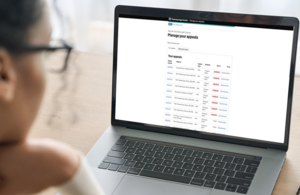
We recently hosted a webinar for local planning authorities (LPAs) to provide an update on changes to the Manage your appeals service and share information about improvements to the digital service.
The webinar followed the introduction of Written Representations Part 1 appeals and increasing use of the digital appeals service for planning and enforcement appeals. It was designed to help LPAs understand how to use the service, demonstrate key parts of the journey and give users an opportunity to share questions and feedback.
The webinar covered:
- Written Representations Part 1 appeals
- Enforcement appeals and enforcement-specific digital journeys
- Appeals as Data
- Improvements to Manage your appeals
This article brings together the main questions about using Manage your appeals and the changes demonstrated during the session.
Watch the webinar recording
Manage your appeals: update webinar for local planning authorities - October 2026 - YouTube
What we covered
Written Representations Part 1 appeals
We explained which types of planning application may follow the expedited Written Representations Part 1 process, how this affects the digital journey and what local planning authorities need to provide through the questionnaire. We also demonstrated questions on material changes, suggested conditions and documents used to determine the original application.
Enforcement appeals, notifications and representations
We demonstrated the enforcement appeal journeys available through the service, including handling appeals with multiple appellants, notifying interested parties and directing people to Comment on a planning appeal and the model notification letter templates.
Submitting statements and supporting documents
When LPAs submit their statement via the service before the deadline, we explained that the journey is split in two steps: first you can submit your statement as text, followed by an optional document upload if required. There is no need to email this to us.
User management and case notifications
We demonstrated how you can add and remove users for your LPA, provided their email address matches your council’s domain. We strongly recommend setting up individual accounts for each user. Shared inboxes cause delays with login verification codes and are less secure. We also explained that case notifications will go to your primary email address only. Appeals as Data
We outlined work with the Ministry of Housing, Communities and Local Government and software suppliers to improve the exchange of appeal information and documents between local authority systems and the Planning Inspectorate, with the aim of reducing manual input and improving data quality.
Service improvements
We shared improvements and planned changes to areas including case search, filtering and user management. We also explained changes to the automatic sharing of potentially sensitive documents.
Your questions about Manage your appeals
We received questions covering both the digital service and wider appeal procedure. The answers below focus on how to use Manage your appeals and on requirements that can be applied consistently across the service.
Some questions related to the handling of an individual appeal or circumstances where the appropriate response will depend on the facts of the case. We have not provided general answers to those questions here. For questions about an individual appeal, contact the case team using the contact information in your case notification emails.
Redacting documents before uploading them
Remove personal information that should not be shared before uploading documents to the service. This includes telephone numbers, email addresses and handwritten signatures.
Where a postal address or property location is needed to give context to an interested party representation, it can remain. Information that identifies interested parties or other people whose identity needs protection should not be disclosed.
If the inspector needs to see the unredacted version, they will ask you for it.
Sharing questionnaire documents with appellants
Local planning authorities can download the completed questionnaire and a ZIP file of uploaded documents after submission. Some potentially sensitive document types are not made available automatically to appellants or agents through Appeal a planning decision. These include notification lists, notification letters or emails, third-party representations and lists of people served with an enforcement notice.
Note: LPAs must continue to share the questionnaire and documents with appellants.
Completing the questionnaire
The questionnaire asks LPAs for information required for the relevant appeal journey. For Part 1 appeals, relevant information should be provided through the questionnaire because there is no later statement or final-comments stage.
The documents and plans question is intended to capture the material that was before the LPA at application stage. The service also provides an additional documents section for information that has not been uploaded elsewhere in the questionnaire.
Managing enforcement appeals with multiple appellants through the service
For an enforcement notice appeal with multiple named appellants, the service creates a lead appeal for the first named appellant and linked appeals for additional appellants. You submit your questionnaire, statement and final comments via the lead appeal and information is copied to the linked cases.
Interested-party comments and model letters
Direct interested parties to Comment on a planning appeal and use the model notification letter templates. Interested parties should submit representations through the online service rather than asking the LPA to forward them by email.
Downloading and managing case information
After submitting a questionnaire, LPAs can download the questionnaire and the uploaded documents. LPAs can also return to a case and use View questionnaire to download the questionnaire PDF and ZIP file again.
The webinar also covered feedback about clearer email subject lines, search and filtering, sign out and bulk downloading. We are using feedback from LPAs to inform improvements to the service.
Help us improve the service
The questions and feedback received during the webinar are helping us identify where the digital service and supporting content can be clearer. You can use the feedback link at the top of the Manage your appeals service to tell us about your experience or suggest improvements.
Sign up to take part in user research sessions and tell us about your experience using this service. Research sessions usually take around 45 to 60 minutes and take place remotely on Microsoft Teams.
Guidance and useful links
Contact us
For problems using the service, contact customer services on 0303 444 5000, Monday to Friday, 9am to 4pm, or use the online contact form.
For questions about an individual appeal, contact your case team using the details in your case notification emails.